








Beta
The Neon Auth with Better Auth is in Beta. Share your feedback on Discord or via the Neon Console.
Neon Auth is built on Better Auth and comes with the Open API plugin enabled by default. You do not need to manually install or configure it.
The OpenAPI plugin provides two main features:
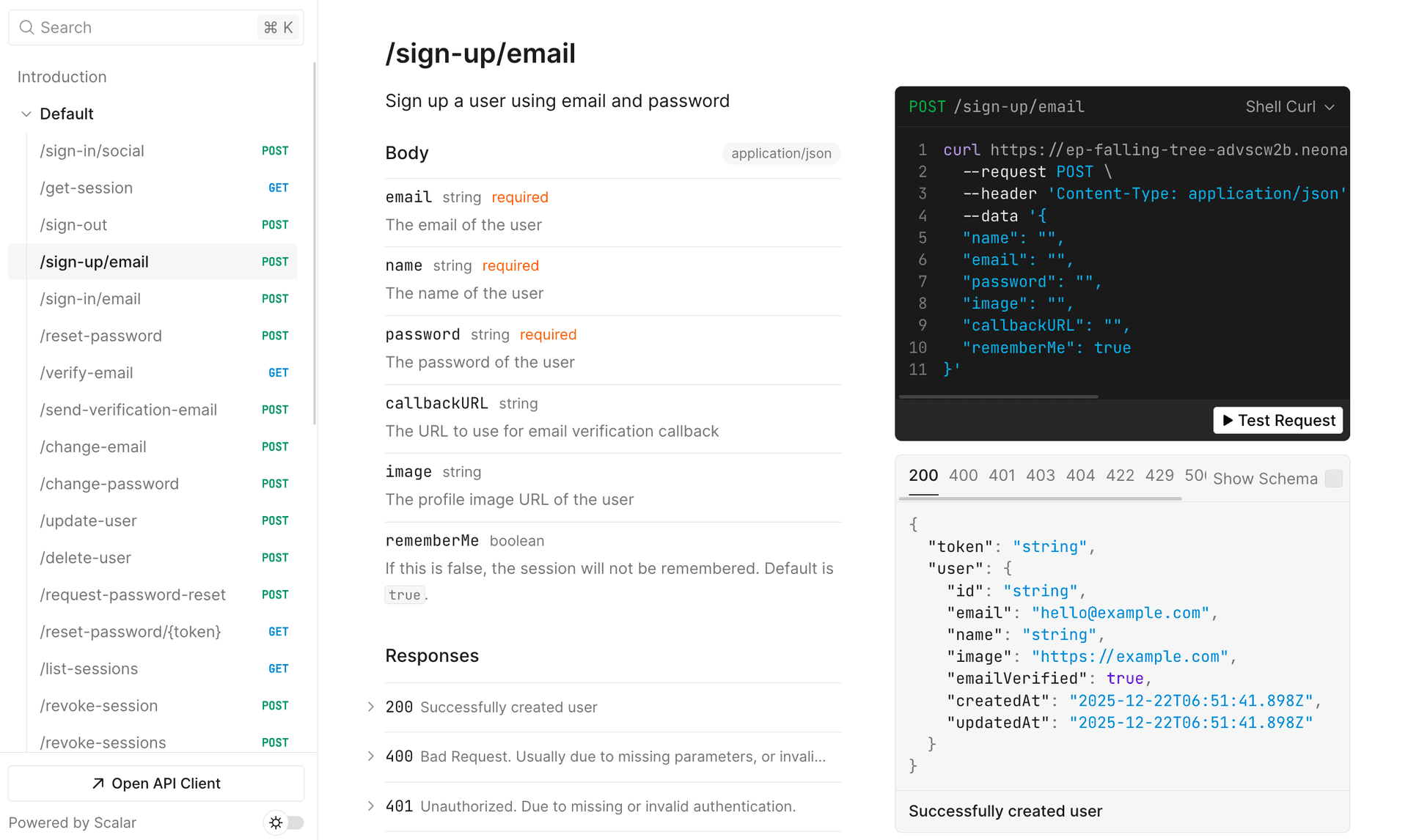
- An interactive API reference UI (powered by Scalar) to explore and test all available Neon Auth endpoints.
- A JSON Schema endpoint that you can use to generate type-safe clients for your application.
Prerequisites
- A Neon project with Auth enabled.
Accessing the API reference
You can view the interactive documentation for your specific project by appending /reference to your Neon Auth URL.
URL Format:
<YOUR_NEON_AUTH_URL>/referenceExample:
https://ep-xxx.aws.neon.tech/neondb/auth/reference
This interface allows you to:
- Browse all available endpoints (grouped by Core, Session, User, Plugins, etc).
- View request and response schemas.
- "Try it out": Make real API requests against your database directly from the browser.
Testing endpoints
When using the "Try it out" feature, you are interacting with your live database. Be careful when testing endpoints that modify or delete data (like admin.banUser or organization.delete).
JSON schema
If you need the raw OpenAPI 3.x specification (for example, to import into Postman or Insomnia), it is available at the /open-api/generate-schema endpoint.
URL format:
<YOUR_NEON_AUTH_URL>/open-api/generate-schemaThis endpoint returns a standard JSON object describing your authentication API.
Generating API clients
One of the most powerful use cases for the OpenAPI plugin is generating type-safe API clients for languages that do not yet have a dedicated Neon Auth SDK, or for server-side integration where you prefer raw fetch calls.
Using Scalar SDK generator
If you're using Next.js, you can access the OpenAPI reference page at /api/auth/reference in your application, once Neon Auth is set up according to the Next.js guide. Unlike the default Neon Auth reference page, this version can be fully customized to match your application's theme. It also provides additional options, such as generating SDK clients in multiple languages using Scalar's built‑in tools.
Limitations
Because Neon Auth is a managed service, the OpenAPI configuration is preset:
- Path: The reference UI is always served at
/reference. - Theme: The UI uses the default Scalar theme and cannot be customized.
- Discovery: The reference doc automatically reflects the plugins enabled in your Neon Auth instance.
Need help?
Join our Discord Server to ask questions or see what others are doing with Neon. For paid plan support options, see Support.