








Beta
The Neon Auth with Better Auth is in Beta. Share your feedback on Discord or via the Neon Console.
note
Upgrading from Neon Auth SDK v0.1? See the migration guide for step-by-step instructions.
This guide shows you how to integrate Neon Auth into a Next.js (App Router) project using SDK methods directly. To use our pre-built UI components instead, see the UI components guide.
Enable Auth in your Neon project
Enable Auth in your Neon project and copy your Auth URL from Configuration.
Console path: Project → Branch → Auth → Configuration
Console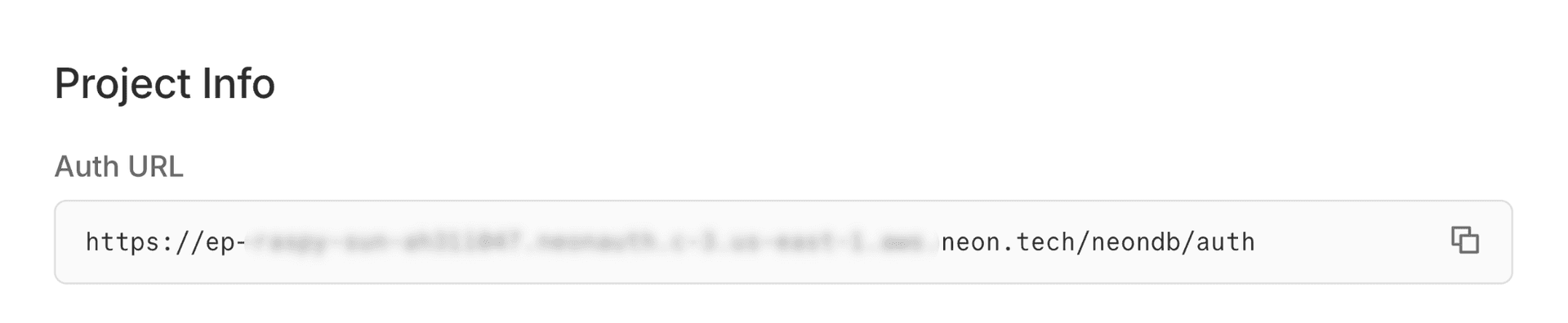
Install the Neon SDK
Install the Neon SDK into your Next.js app.
If you don't have a Next.js project
npx create-next-app@latest my-app --yes cd my-appTerminalnpm install @neondatabase/authSet up environment variables
Create a
.env.localfile in your project root and add your Auth URL and a cookie secret:note
Replace the Auth URL with your actual Auth URL from the Neon Console. Generate a secure cookie secret with
openssl rand -base64 32..env.localNEON_AUTH_BASE_URL=https://ep-xxx.neonauth.us-east-1.aws.neon.tech/neondb/auth NEON_AUTH_COOKIE_SECRET=your-secret-at-least-32-characters-longCreate auth server instance
Create a unified auth instance in
lib/auth/server.ts. This single instance provides all server-side auth functionality:.handler()for API routes.middleware()for route protection.getSession()and all Better Auth server methods
See the Next.js Server SDK reference for complete API documentation.
lib/auth/server.tsimport { createNeonAuth } from '@neondatabase/auth/next/server'; export const auth = createNeonAuth({ baseUrl: process.env.NEON_AUTH_BASE_URL!, cookies: { secret: process.env.NEON_AUTH_COOKIE_SECRET!, }, });Set up auth API routes
Create an API route handler that proxies auth requests. All Neon Auth APIs will be routed through this handler. Create a route file inside
/api/auth/[...path]directory:app/api/auth/[...path]/route.tsimport { auth } from '@/lib/auth/server'; export const { GET, POST } = auth.handler();Add authentication middleware
The middleware ensures users are authenticated before accessing protected routes. Create
proxy.tsfile in your project root:proxy.tsimport { auth } from '@/lib/auth/server'; export default auth.middleware({ // Redirects unauthenticated users to sign-in page loginUrl: '/auth/sign-in', }); export const config = { matcher: [ // Protected routes requiring authentication '/account/:path*', ], };note
Your Next.js project is now fully configured to use Neon Auth. Now, lets proceed with setting up the auth clients.
Configure the auth client
Create the auth client in
lib/auth/client.tsfor client-side auth operations (form submissions, hooks, etc.).note
The server-side
authinstance was already created in a previous step. The client is separate and handles browser-side auth operations.lib/auth/client.ts'use client'; import { createAuthClient } from '@neondatabase/auth/next'; export const authClient = createAuthClient();Create Sign up form
Lets create a sign-up form and action in
app/auth/sign-up/page.tsxandapp/auth/sign-up/actions.tsfiles respectively using the auth instance we created in previous step- To create user with email and password, we will use
auth.signUp.email()with user name, email address, and password - You can optionally add business logic before invoking the API, for example restrict signups to emails ending with
@my-company.com
Copy and paste following code in
app/auth/sign-up/actions.tsfile:'use server'; import { auth } from '@/lib/auth/server'; import { redirect } from 'next/navigation'; export async function signUpWithEmail( _prevState: { error: string } | null, formData: FormData ) { const email = formData.get('email') as string; if (!email) { return { error: "Email address must be provided." } } // Optionally restrict sign ups based on email address // if (!email.trim().endsWith("@my-company.com")) { // return { error: 'Email must be from my-company.com' }; // } const { error } = await auth.signUp.email({ email, name: formData.get('name') as string, password: formData.get('password') as string, }); if (error) { return { error: error.message || 'Failed to create account' }; } redirect('/'); }- To create user with email and password, we will use
Create Sign in form
Lets create a sign-in form and action in
app/auth/sign-in/page.tsxandapp/auth/sign-in/actions.tsfiles respectively.- To sign-in the user we will use
auth.signIn.email()with user's email address and password.
Sign In'use server'; import { auth } from '@/lib/auth/server'; import { redirect } from 'next/navigation'; export async function signInWithEmail( _prevState: { error: string } | null, formData: FormData ) { const { error } = await auth.signIn.email({ email: formData.get('email') as string, password: formData.get('password') as string, }); if (error) { return { error: error.message || 'Failed to sign in. Try again' }; } redirect('/'); }- To sign-in the user we will use
Create home page
In last step, lets create the home page and display authenticated user status:
app/page.tsximport { auth } from '@/lib/auth/server'; import Link from 'next/link'; // Server components using auth methods must be rendered dynamically export const dynamic = 'force-dynamic'; export default async function Home() { const { data: session } = await auth.getSession(); if (session?.user) { return ( <div className="flex flex-col gap-2 min-h-screen items-center justify-center bg-gray-900"> <h1 className="mb-4 text-4xl"> Logged in as <span className="font-bold underline">{session.user.name}</span> </h1> </div> ); } return ( <div className="flex flex-col gap-2 min-h-screen items-center justify-center bg-gray-900"> <h1 className="mb-4 text-4xl font-bold">Not logged in</h1> <div className="flex item-center gap-2"> <Link href="/auth/sign-up" className="inline-flex text-lg text-indigo-400 hover:underline" > Sign-up </Link> <Link href="/auth/sign-in" className="inline-flex text-lg text-indigo-400 hover:underline" > Sign-in </Link> </div> </div> ); }Start your app
Start the development server:
Open your browser to http://localhost:3000 and test sign-up and sign-in.
Safari users
Safari blocks third-party cookies on non-HTTPS connections. Use
npm run dev -- --experimental-httpsand openhttps://localhost:3000instead.Terminalnpm run dev
Available SDK methods
Both authClient and auth expose similar API methods. Use authClient for client components and auth for server components, server actions, and API routes.
- authClient.signUp.email() /
auth.signUp.email()- Create a new user account - authClient.signIn.email() /
auth.signIn.email()- Sign in with email and password - authClient.signOut() /
auth.signOut()- Sign out the current user - authClient.getSession() /
auth.getSession()- Get the current session authClient.updateUser()/auth.updateUser()- Update user details
The auth instance also includes .handler() for API routes and .middleware() for route protection.
Next steps
Need help?
Join our Discord Server to ask questions or see what others are doing with Neon. For paid plan support options, see Support.