








Beta
The Neon Auth with Better Auth is in Beta. Share your feedback on Discord or via the Neon Console.
Create a Neon project with Auth enabled
If you don't have a Neon project yet, create one at console.neon.tech.
Go to the Auth page in your project dashboard and click Enable Auth.
You can then find your Auth Base URL on the Configuration tab. Copy this URL - you'll need it in the next step.
Console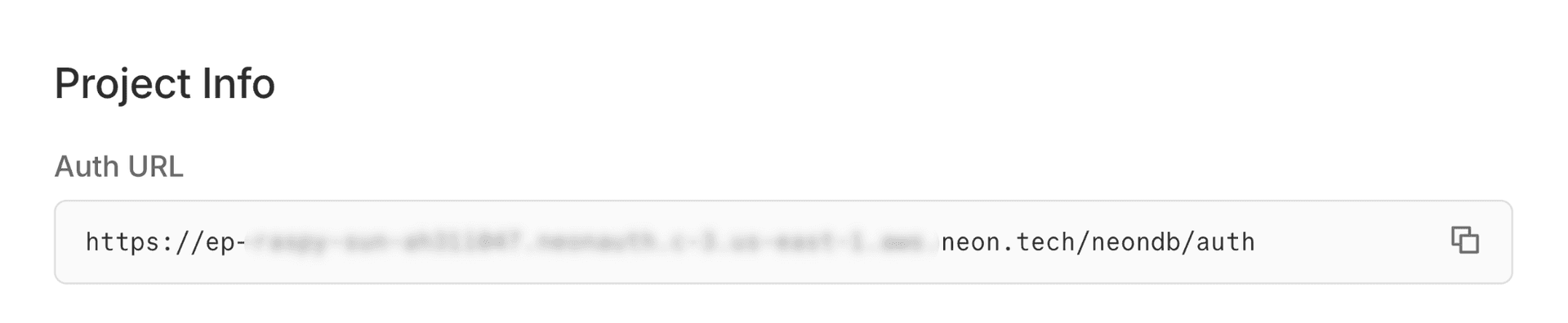
Create a React app
Create a React app using Vite.
Terminalnpm create vite@latest my-app -- --template reactInstall the Neon SDK
The Neon SDK provides authentication methods like
signUp(),getSession(), andsignOut()for your React app.Terminalcd my-app npm install @neondatabase/neon-jsSet up environment variables
Create a
.envfile in your project root and add your Auth Base URL:note
Replace the URL with your actual Auth Base URL from the Neon Console.
.envVITE_NEON_AUTH_URL=https://ep-xxx.neonauth.us-east-2.aws.neon.build/neondb/authConfigure the Neon client
Create a
src/auth.jsfile to configure your auth client:src/auth.jsimport { createAuthClient } from '@neondatabase/neon-js/auth'; export const authClient = createAuthClient(import.meta.env.VITE_NEON_AUTH_URL);Build your authentication UI
src/App.jsximport { useState, useEffect } from 'react'; import { authClient } from './auth'; import './App.css'; export default function App() { const [session, setSession] = useState(null); const [user, setUser] = useState(null); const [email, setEmail] = useState(''); const [password, setPassword] = useState(''); const [isSignUp, setIsSignUp] = useState(true); const [loading, setLoading] = useState(true); useEffect(() => { authClient.getSession().then((result) => { if (result.data?.session && result.data?.user) { setSession(result.data.session); setUser(result.data.user); } setLoading(false); }); }, []); const handleSubmit = async (e) => { e.preventDefault(); const result = isSignUp ? await authClient.signUp.email({ name: email.split('@')[0] || 'User', email, password }) : await authClient.signIn.email({ email, password }); if (result.error) { alert(result.error.message); return; } const sessionResult = await authClient.getSession(); if (sessionResult.data?.session && sessionResult.data?.user) { setSession(sessionResult.data.session); setUser(sessionResult.data.user); } }; const handleSignOut = async () => { await authClient.signOut(); setSession(null); setUser(null); }; if (loading) return <div>Loading...</div>; if (session && user) { return ( <div> <h1>Logged in as {user.email}</h1> <button onClick={handleSignOut}>Sign Out</button> </div> ); } return ( <form onSubmit={handleSubmit}> <h1>{isSignUp ? 'Sign Up' : 'Sign In'}</h1> <input type="email" placeholder="Email" value={email} onChange={(e) => setEmail(e.target.value)} required /> <input type="password" placeholder="Password" value={password} onChange={(e) => setPassword(e.target.value)} required /> <button type="submit">{isSignUp ? 'Sign Up' : 'Sign In'}</button> <p> {isSignUp ? ( <> Already have an account?{' '} <a href="#" onClick={(e) => { e.preventDefault(); setIsSignUp(false); }} > Sign in </a> </> ) : ( <> Don't have an account?{' '} <a href="#" onClick={(e) => { e.preventDefault(); setIsSignUp(true); }} > Sign up </a> </> )} </p> </form> ); }Start your app
Start the development server:
Open your browser to
http://localhost:5173and create a test user.Terminalnpm run devSee your users in the database
As users sign up, their profiles are synced to your Neon database in the
neon_auth.usertable.Query your users table in the SQL Editor to see your new users:
SQL EditorSELECT * FROM neon_auth.user;
Next steps
- Learn about Neon Auth concepts
- Explore the Neon Data API to build a REST API for your data
- View complete SDK reference